Some of the features and screenshots of eClinic (practice management software for doctors) are shown here.
Main visit entry screen is shown below
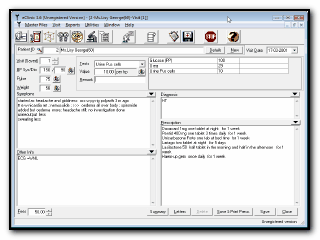
eClinic Vist entry screen (click to enlarge)
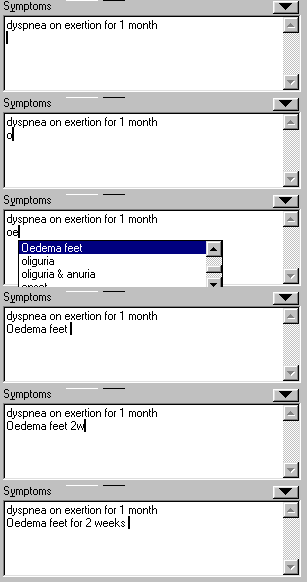
A collection of 22000 commonly occuring medical terms are compiled together so that you can insert into patient visit by entering the starting few letters and pressing Ctrl key(see above). You can add to this list your own entries by selecting or clicking the entry and F6 Key. There are inbuild shortcut keys for entering prescriptions ("101c" will be converted to "one capsule in the morning and and one at night","5w" will be converted to "5 weeks")
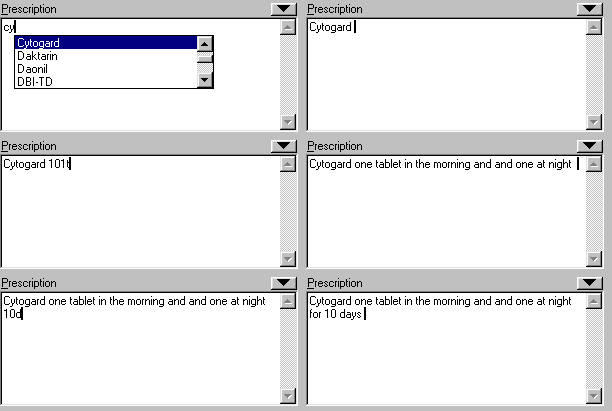
In prescription entry, dropdown listing of medicines
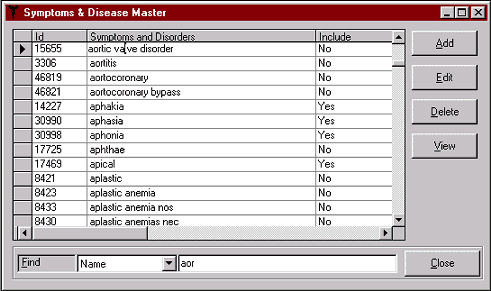
Symptoms Master - new entries can be added to this list on the fly while entering visit using hot keys
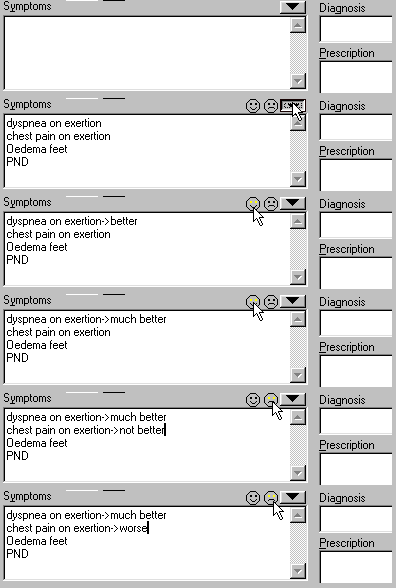
You can load prescription, symptoms etc. from previous visit of a patient and easily modify them
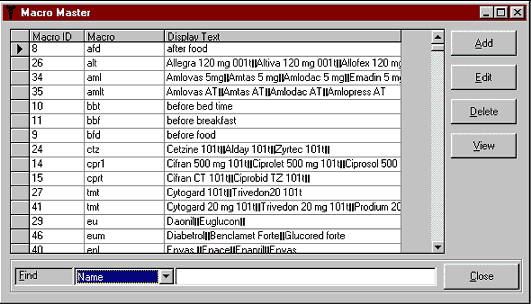
Macros List : shortcut keys for commonly used long terms, which can save lot of typing.
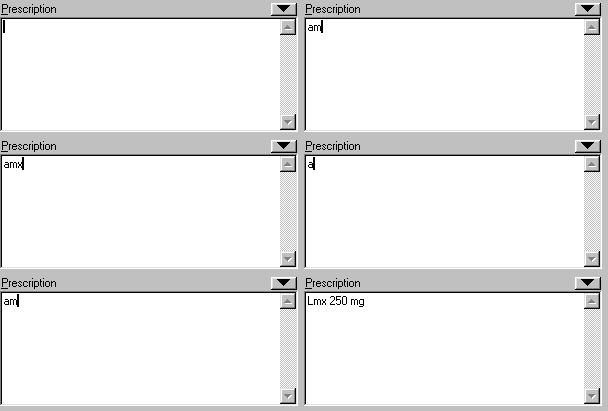
Macros can also be used for distributing your prescription into different brands for one generic medicine. In the example above a macro "amx" is created for Amoxycillin and 2 brands Lmx and Comoxyl are entered for rotation. So whenever you type "amx" in prescription each brand is displayed alternatively.
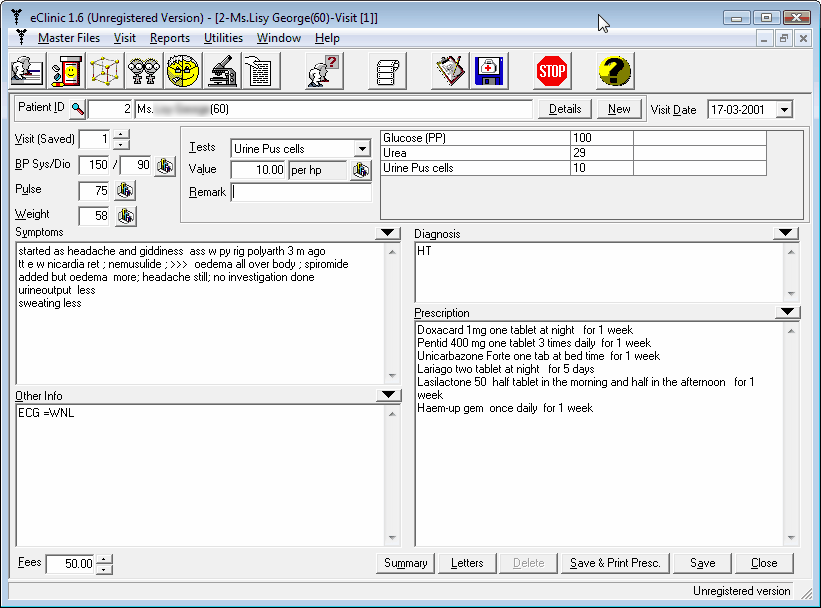 eClinic Vist entry screen (click to enlarge)